About FreeCell Solitaire Classic
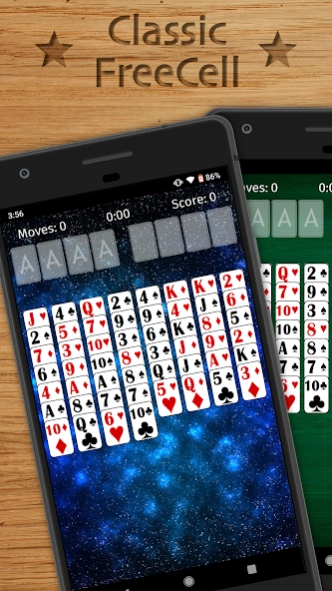
The most strategic Solitaire game of all – you can see all the cards, but can you get them to the goal without getting stuck? You have 4 free cells available, but you must use them wisely to win this game of pure skill....
The most strategic Solitaire game of all – you can see all the cards, but can you get them to the goal without getting stuck? You have 4 free cells available, but you must use them wisely to win this game of pure skill.
This is a classic FreeCell Solitaire card game featuring big cards that are easy on your eyes! Relax and play a FreeCell Solitaire game with 1 finger using drag-and-drop or single tap gameplay. You have unlimited hints and undo's if you get stuck. All for FREE!
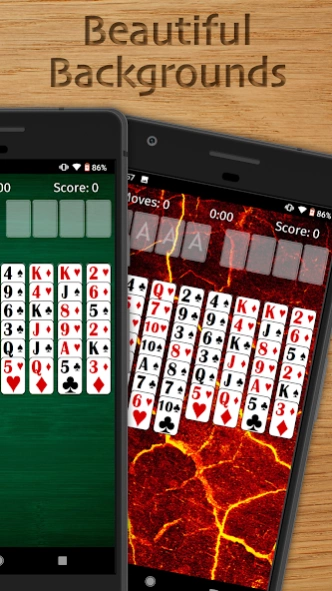
FreeCell++ was designed by a FreeCell Solitaire enthusiast with mobile phones in mind. Enjoy the big, readable cards and beautiful backgrounds.
Don't know how to play FreeCell? No problem! The interactive tutorial will have you playing in no time! Just be warned, this game is easy to pick up but hard to put down.
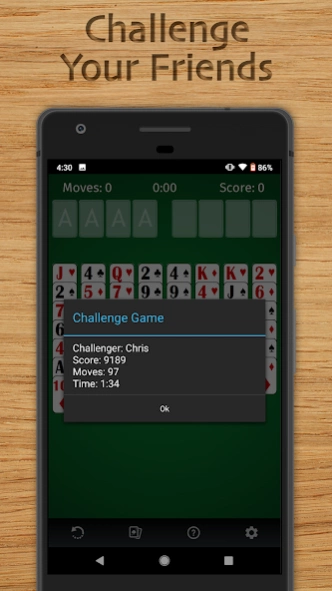
Got a high score? FreeCell++ lets you share your score or challenge friends to the exact same deal to see if they can beat it!
FEATURES
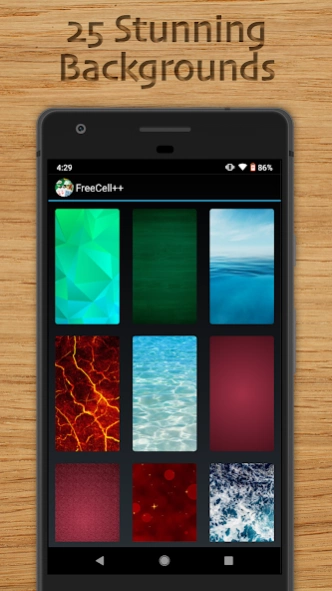
• Choose from 25 stunning backgrounds
• Simple interface with big cards designed for mobile
• Interactive tutorial teaches you how to play FreeCell
• Drag-and-drop cards or tap to automatically move them
• Play in Portrait or Landscape
• Supports all 1 million of the traditional numbered FreeCell solitaire deals
• Share scores or Challenge a friend to the same deal
• Unlimited Undo's and Hints
• Choose from multiple card styles
FreeCell is the perfect card game if you have a few minutes of free time. Each game is simple and quick, while being fun and challenging at the same time. FreeCell can entertain you for minutes or hours! The best part? It's free!
Solitaire (also known as Patience, Solitare, Solitary, or Solider) is a one-player game with many variants. Check out my other free Solitaire apps if you like this card game! I also offer TriPeaks Solitaire and Pyramid Solitaire.
Follow me on Twitter and Facebook to get status updates and app support.
Email:
[email protected]
Twitter: @LogickLLC
Facebook: Logick LLC
Previous Versions
Here you can find the changelog of FreeCell Solitaire Classic since it was posted on our website on 2019-10-25 11:10:36.
The latest version is 2.1.4 and it was updated on 2024-04-23 10:18:47. See below the changes in each version.
FreeCell Solitaire Classic version 2.1.4
Updated At: 2022-12-07
Changes: Updated code libraries for optimal performance and fixed some bugs.
FreeCell Solitaire Classic version 2.1.2
Updated At: 2022-01-27
Changes: Updated code libraries for optimal performance.
FreeCell Solitaire Classic version 2.1.1
Updated At: 2021-11-03
Changes: Fixed the situation where cards would prefer being "put up" in the goal slot before it's safe to do so.
Fixed blank background and blank card style showing up as first item in list.
Updated all the code libraries and built for Android 12 for maximum compatibility.
Assorted bug fixes and improvements.
FreeCell Solitaire Classic version 2.1.0
Updated At: 2021-10-30
Changes: Fixed the situation where cards would prefer being "put up" in the goal slot before it's safe to do so.
Updated all the code libraries and built for Android 12 for maximum compatibility.
Assorted bug fixes and improvements.
FreeCell Solitaire Classic version 2.0.3
Updated At: 2021-06-25
Changes: Lots of improvements in FreeCell 2.0!
NEW BACKGROUNDS
This update brings the number of backgrounds up to 25! Choose one of our new stunning backgrounds or enjoy your favorite classic background.
IMPROVED CARD STYLES
All of the card styles have been refreshed with sharper graphics, and we've added 1 new style.
CHALLENGE LINKS
You can now easily challenge your friends with a clickable game link!
AND MORE
- Lots of bug fixes and improvements
- Built with full support for Android 11
FreeCell Solitaire Classic version 1.6.0
Updated At: 2018-08-06
Changes: Fixed a problem where tapping a card would sometimes register as dragging it on certain devices.
Added Touch Mode in Settings with 3 options: Tap or Drag, Tap only, Drag only
Disclaimer
Official Google Play Link
We do not host FreeCell Solitaire Classic on our servers. We did not scan it for viruses, adware, spyware or other type of malware. This app is hosted by Google and passed their terms and conditions to be listed there. We recommend caution when installing it.
The Google Play link for FreeCell Solitaire Classic is provided to you by apps112.com without any warranties, representations or guarantees of any kind, so access it at your own risk.
If you have questions regarding this particular app contact the publisher directly. For questions about the functionalities of apps112.com contact us.